Come sit in a
different chair.
Now you have people.
Say what you need in a sentence. A named team gets to work, each team member coming back to you only when something genuinely needs your call, then the team hands you the finished thing. It all runs on your own Mac, using the AI you already pay for.

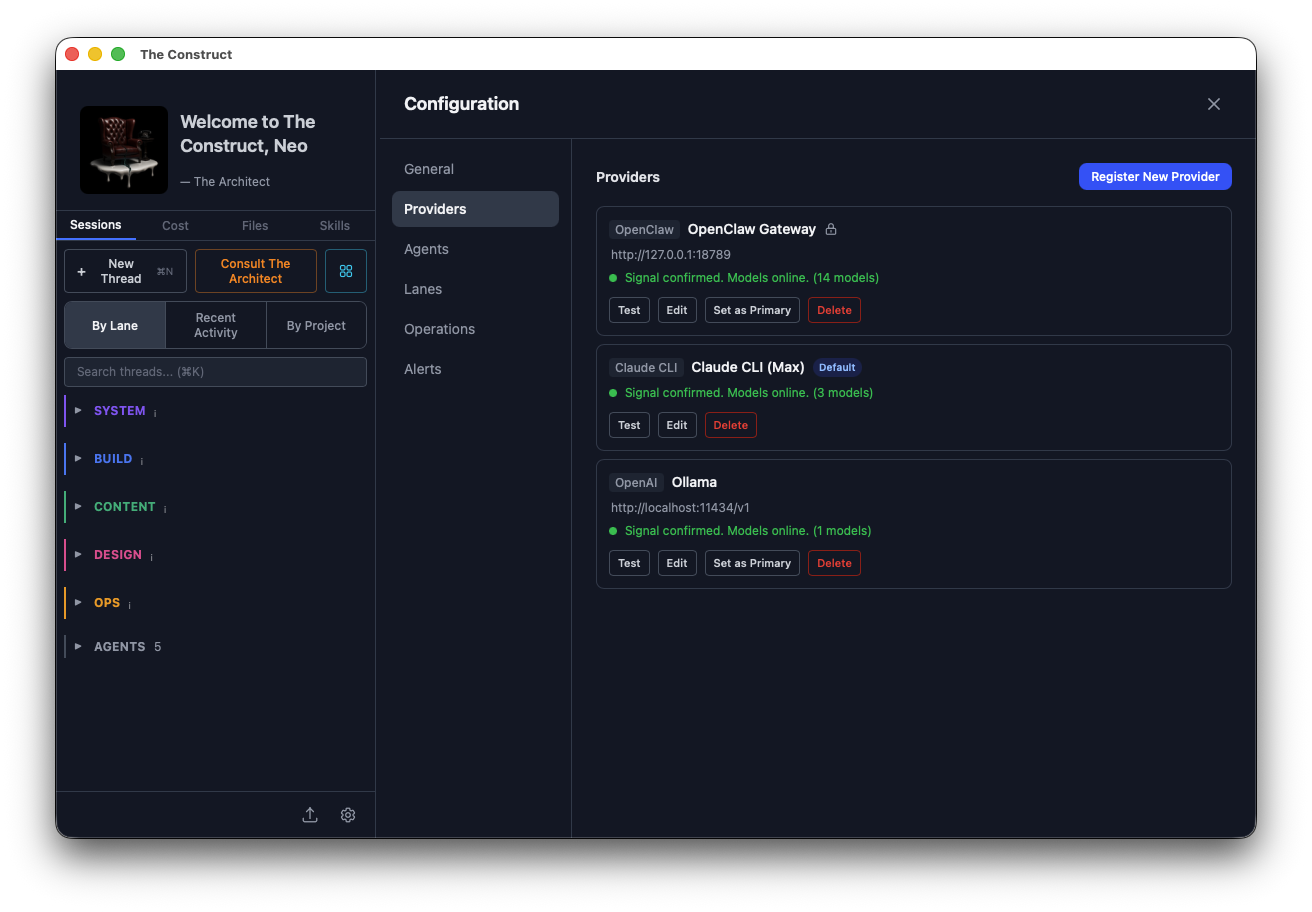
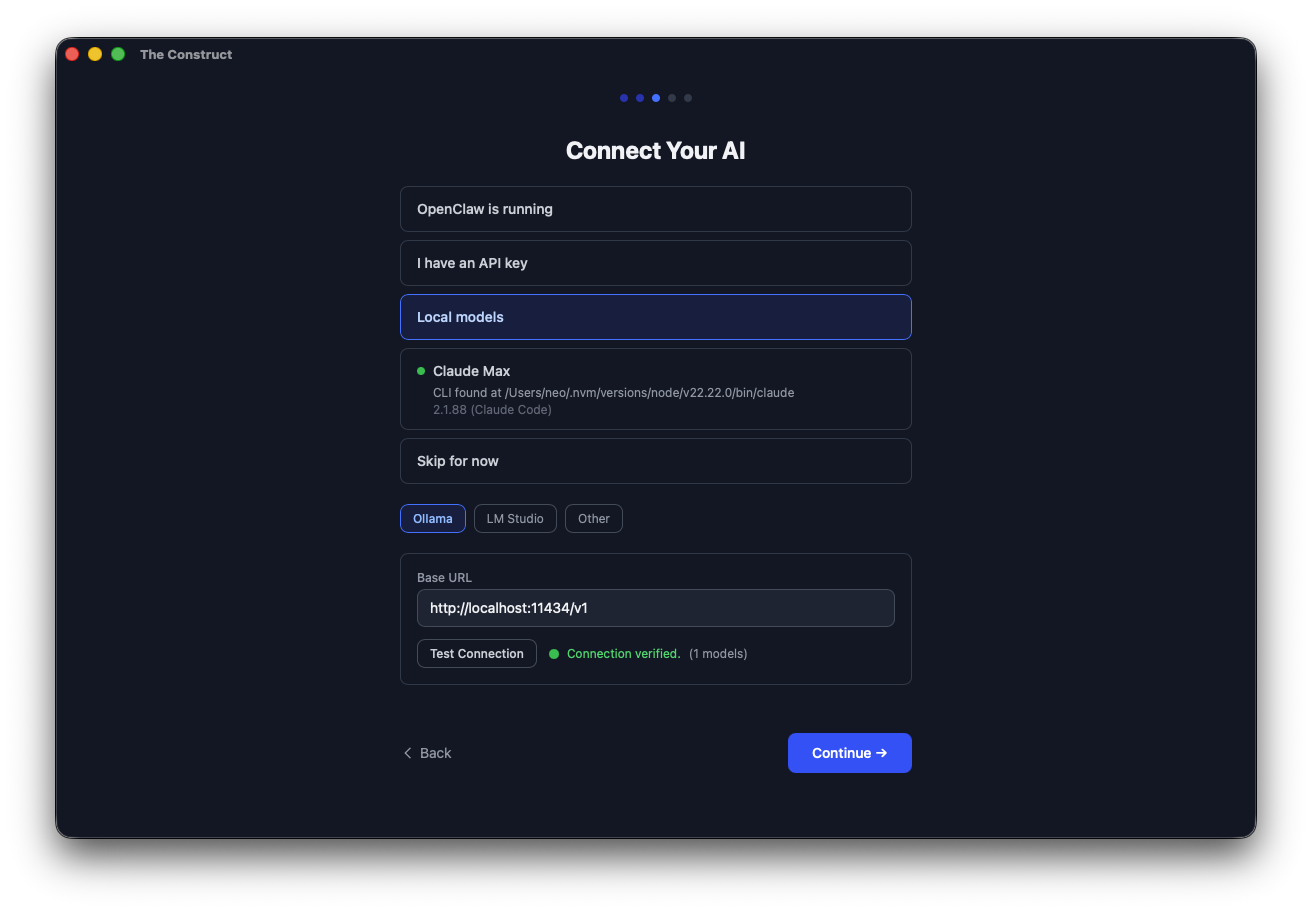
Works with the AI subscriptions you already pay for — Claude Max, ChatGPT/Codex, Gemini CLI, GitHub Copilot — plus direct API keys, Ollama, LM Studio, or any OpenAI-compatible endpoint. No new AI bill for the subscriptions you already have.
Well, meet your people.
Named, not numbered. Each one has a job, a voice, and a lane, and they work at the same time.

Morpheus
Your thought partnerThe one you talk to first. He thinks with you, then hands the work to the right people.

The Architect
Your plannerGive him a brief and he returns a plan: who does what, in what order, for your approval.

Tank
Your builderWrites code, ships features, fixes bugs. Rolled sleeves, real output.

Trinity
Your chief of staffHolds the room. Tracks what's decided, what's blocked, and what's quietly drifting.

The Concierge
Your front of houseCustomer-facing voice. Empathy, lookups, escalation, always glad you're here.

The Producer
Your deadline keeperTracks deliverables, deadlines, blockers. Holds the whole picture so nothing slips.
Rename them, retune them, or add your own. They're your people.
So what do you actually hand over?
The things you keep meaning to get to. Here is what a Tuesday looks like.
“Turn my notes into a real proposal.”
You hand over the messy notes. You get back a written proposal, laid out properly, in your voice, ready for you to edit rather than start.
“Look into this and tell me what you'd do.”
They go read, compare, and come back with a recommendation and the reasoning, not forty links for you to sort through yourself.
“Get this ready to send by Friday.”
One person drafts, another checks the numbers, another builds the page. They work at the same time and only knock when something is genuinely yours to decide.
One sentence in. This came back.
A real run, shown as it happened. The brief: “Put together a one-page wholesale line sheet for the spring catalog... something I can print and leave with a café buyer.” A writer drafted the collection. A builder art-directed and photographed all six pieces, then built the page. Nothing below was touched by a human hand.
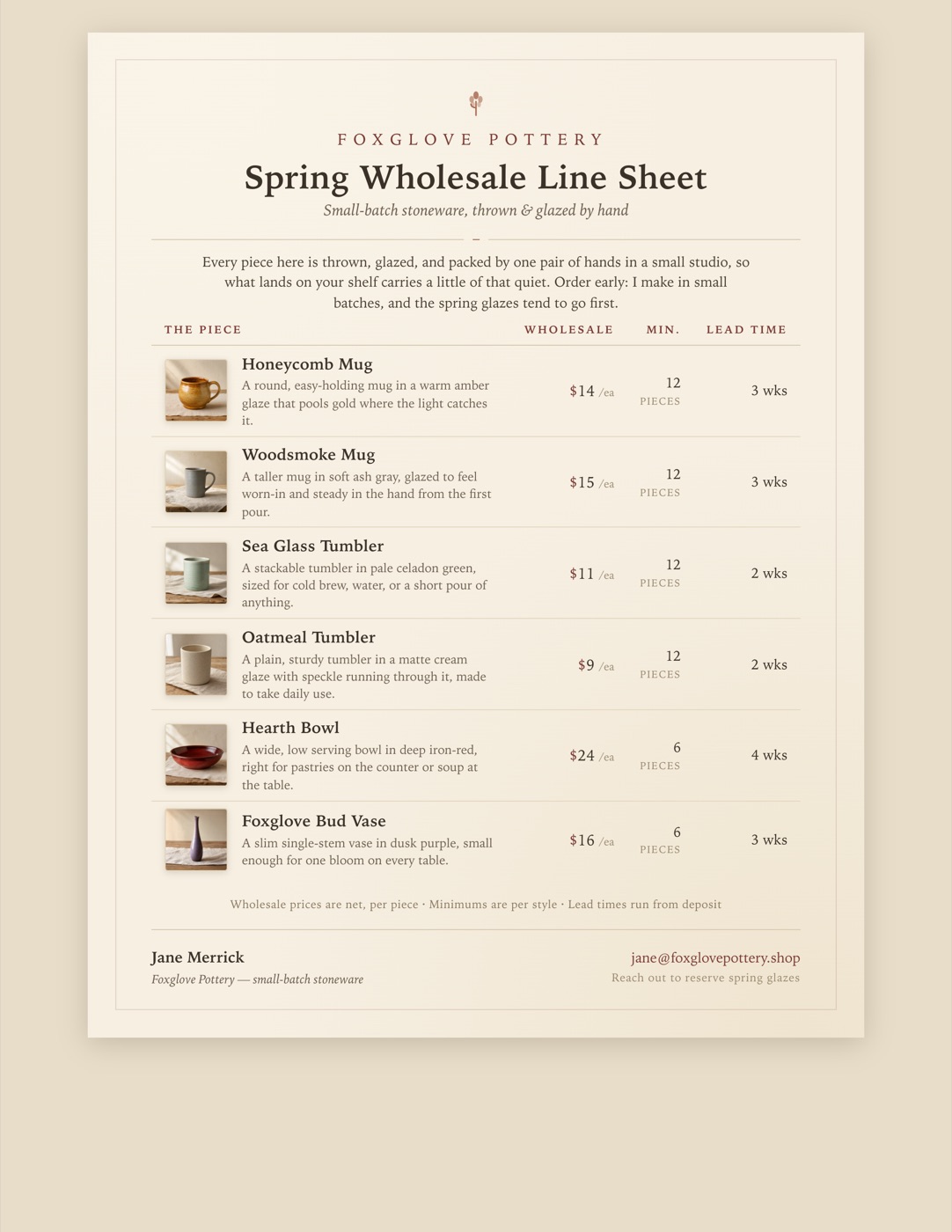
Demo studio, fictional potter, real workflow: plan approved, two agents, finished page. The plan card and approval gate are the same ones you saw above.
You decide how much you're involved.
Configurable involvement levels let you choose your operating mode. From hands-on to fully autonomous.
Direct every step
Full manual control. Review every output, guide every decision, steer the work exactly where you want it to go.
Get pulled in at checkpoints
Agents work autonomously until they hit a blocker or checkpoint. The Decision Room surfaces what needs your attention. Everything else runs.
Set the brief, check in when you want
Approve the plan and let the fleet execute. Continuation rules keep agents moving. Operate like a CEO of your projects, not a babysitter.
What your people do
You stop doing the work.
You start deciding the work.
Most AI tools hand you a chat window and leave the managing to you. Here you describe the outcome, and the team works out who does what, in what order, and what they need to ask you along the way.
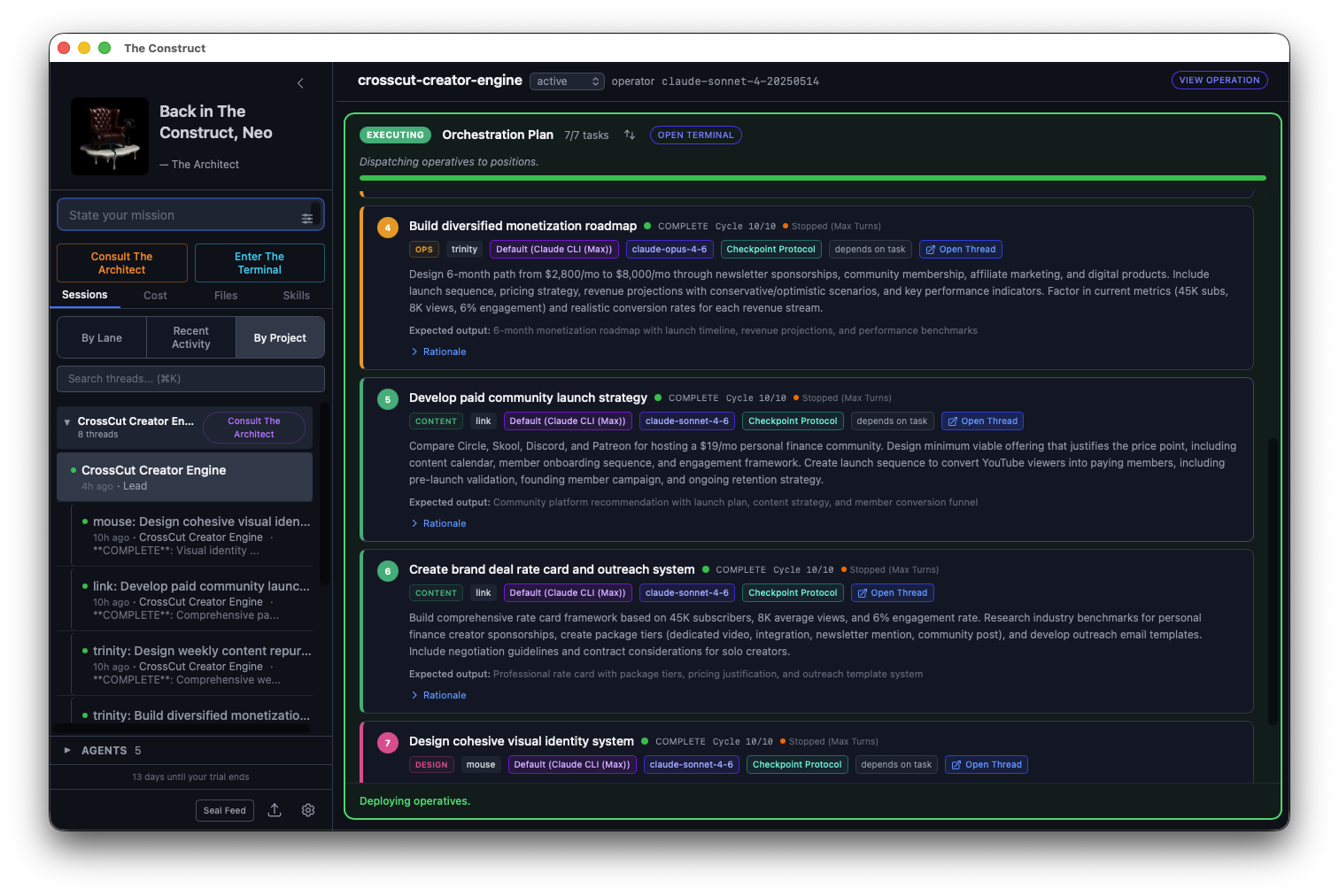
Everyone works at once
Say it once. The work gets split up, handed out, and done in parallel, in the right order, without you project-managing anybody.
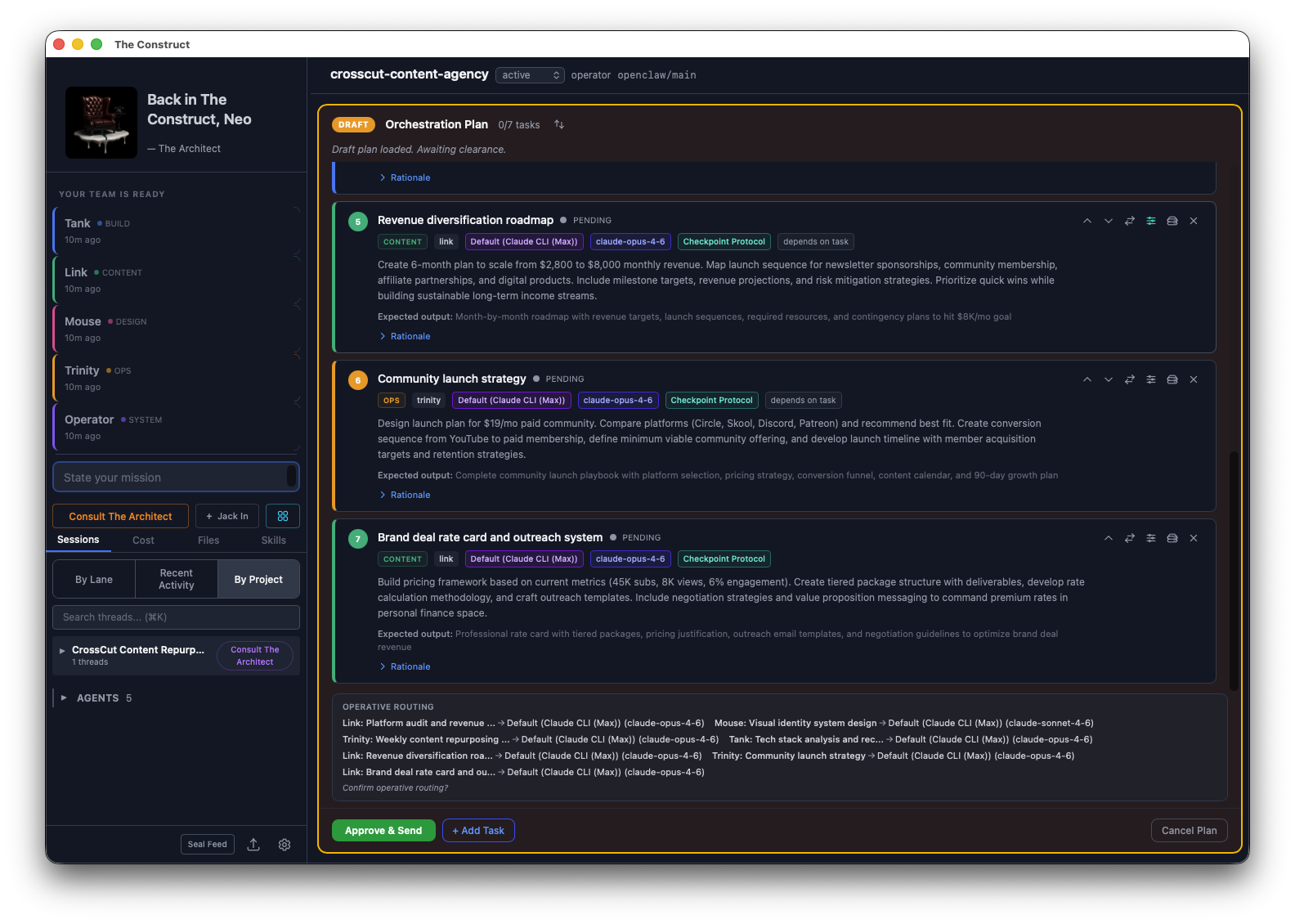
Describe what you need. You get back a plan: who is doing what, and in what order. By default you approve it before anything executes, and you can raise or lower that gate per project. You stay in control without doing the coordination manually.
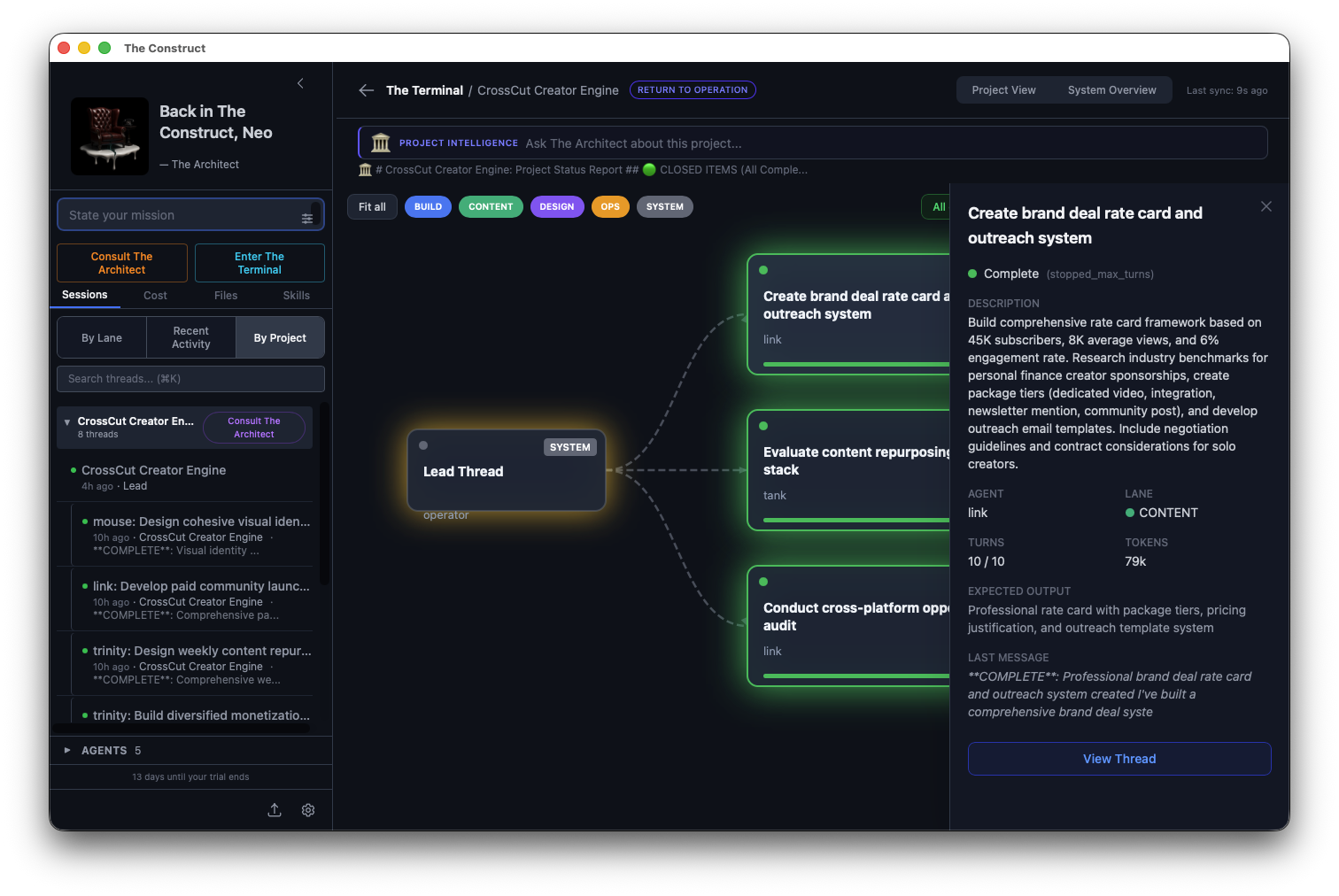
Watch it happen, or don't
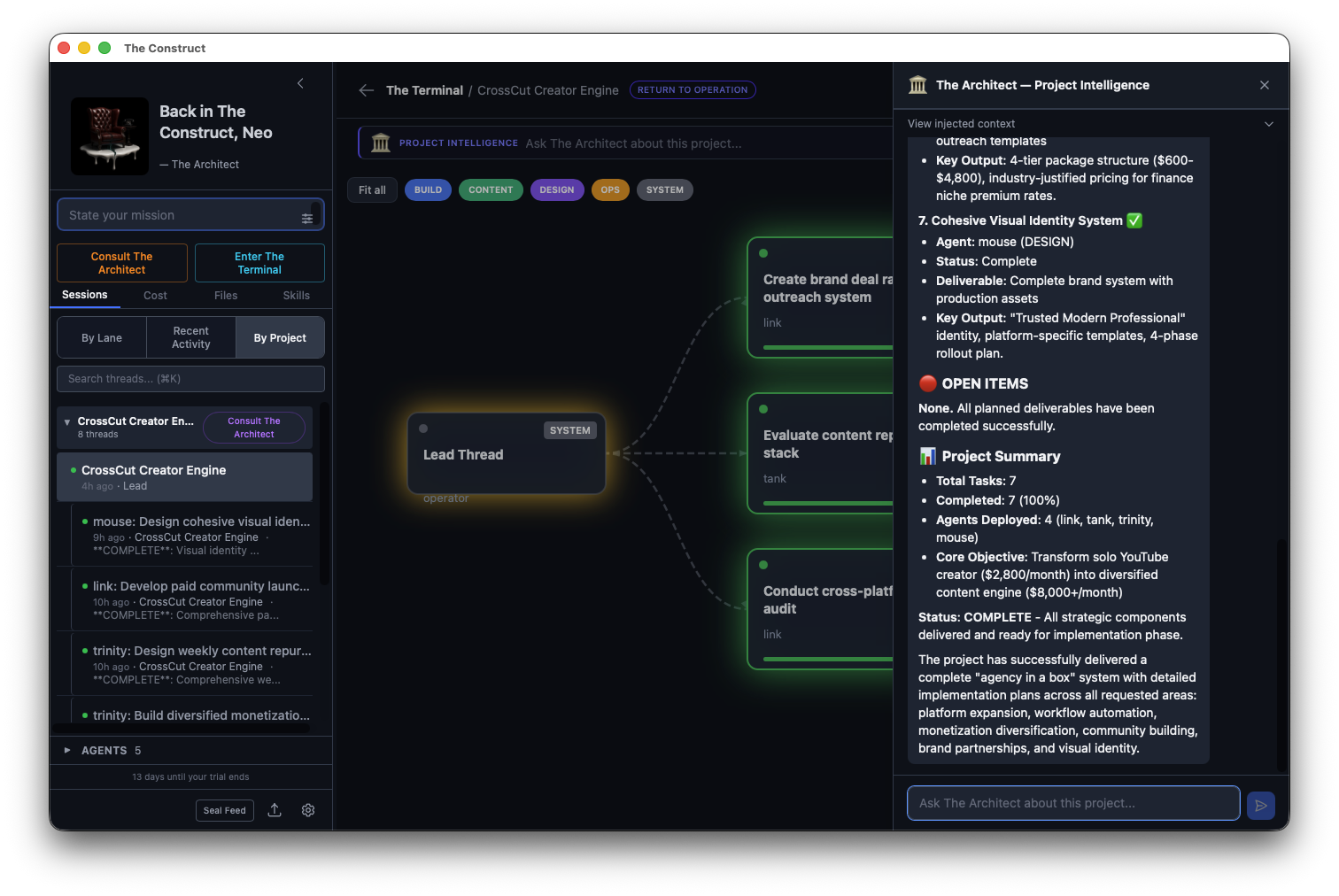
A live picture of who is doing what and what is finished. Look in when you're curious. Ignore it when you're busy.
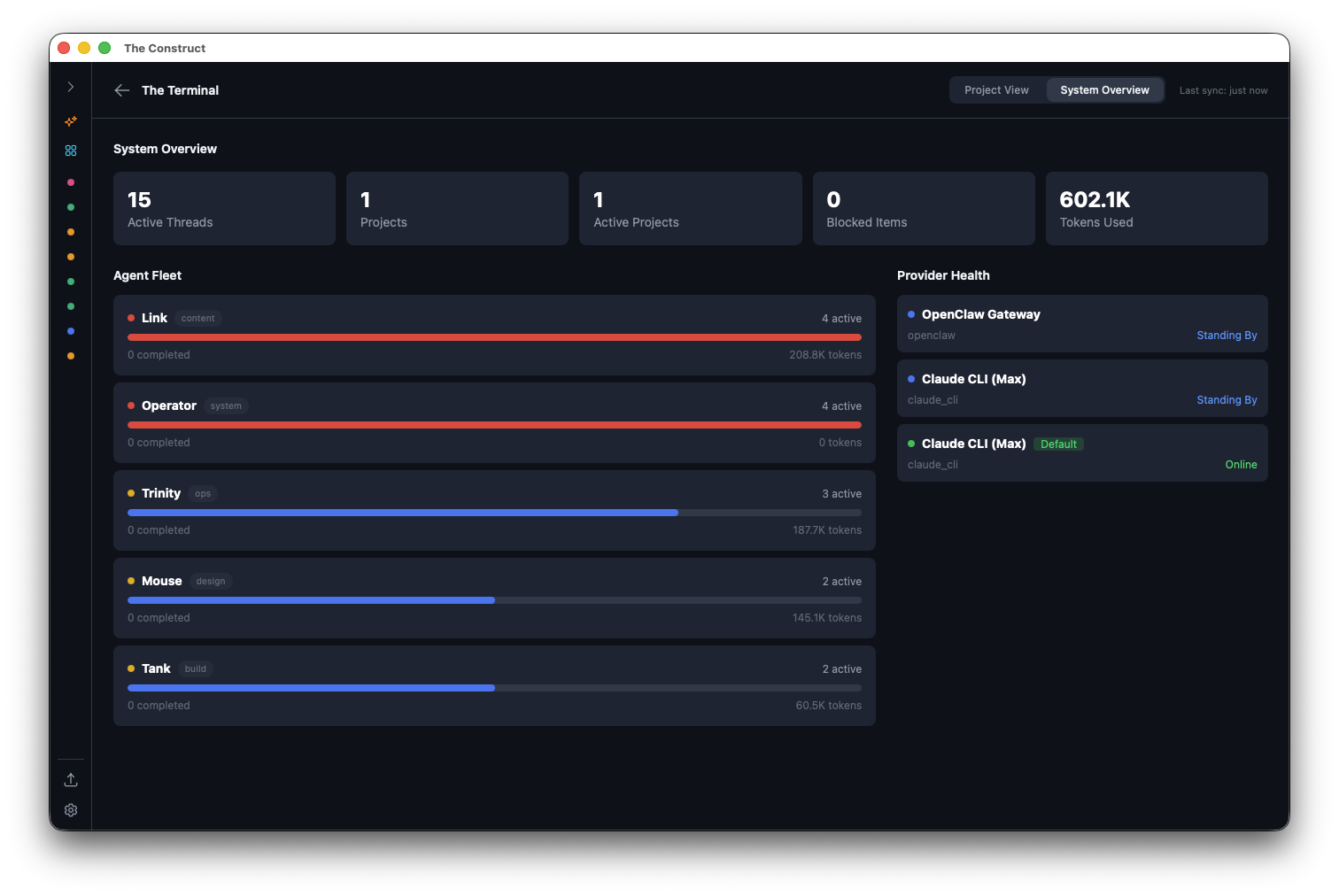
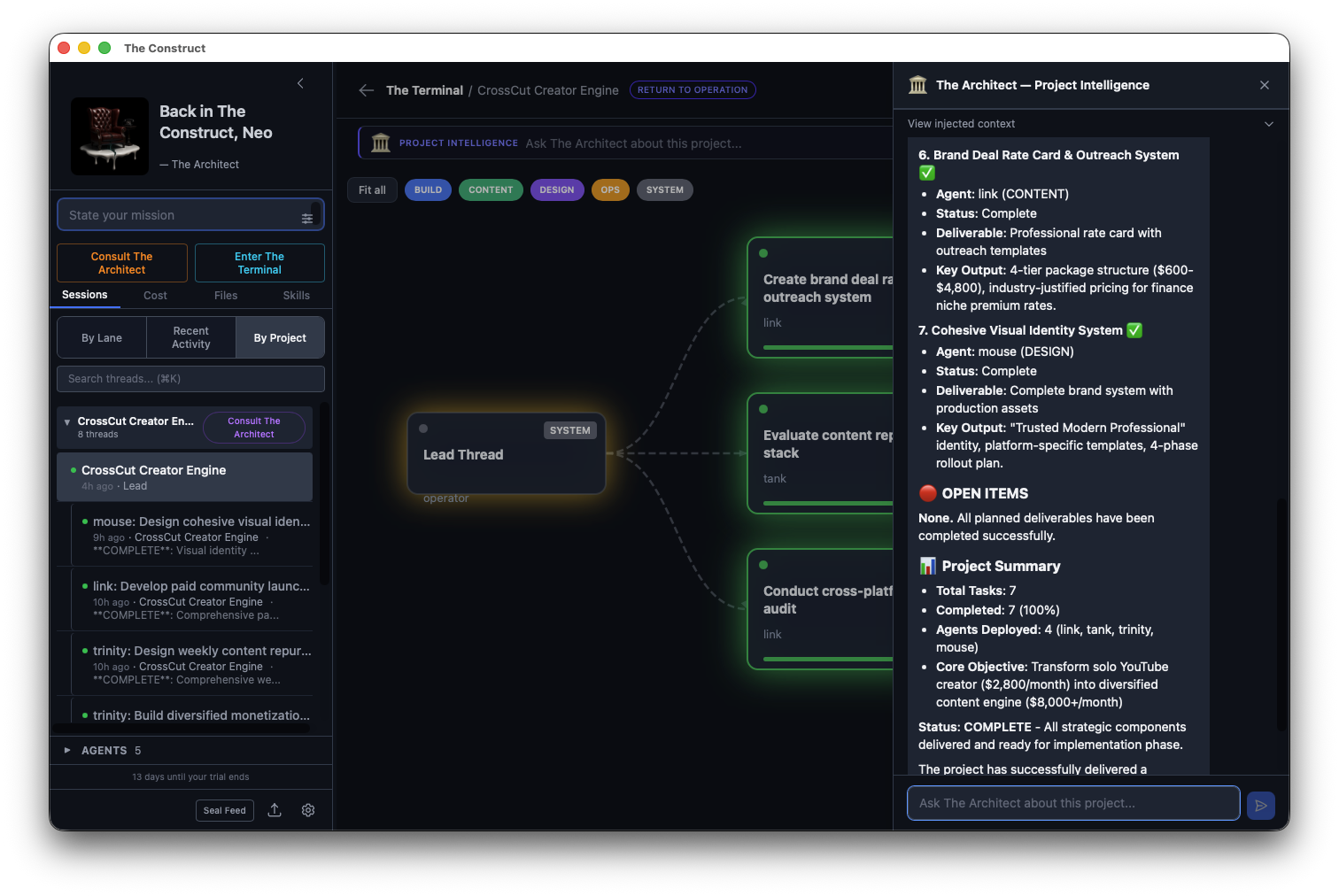
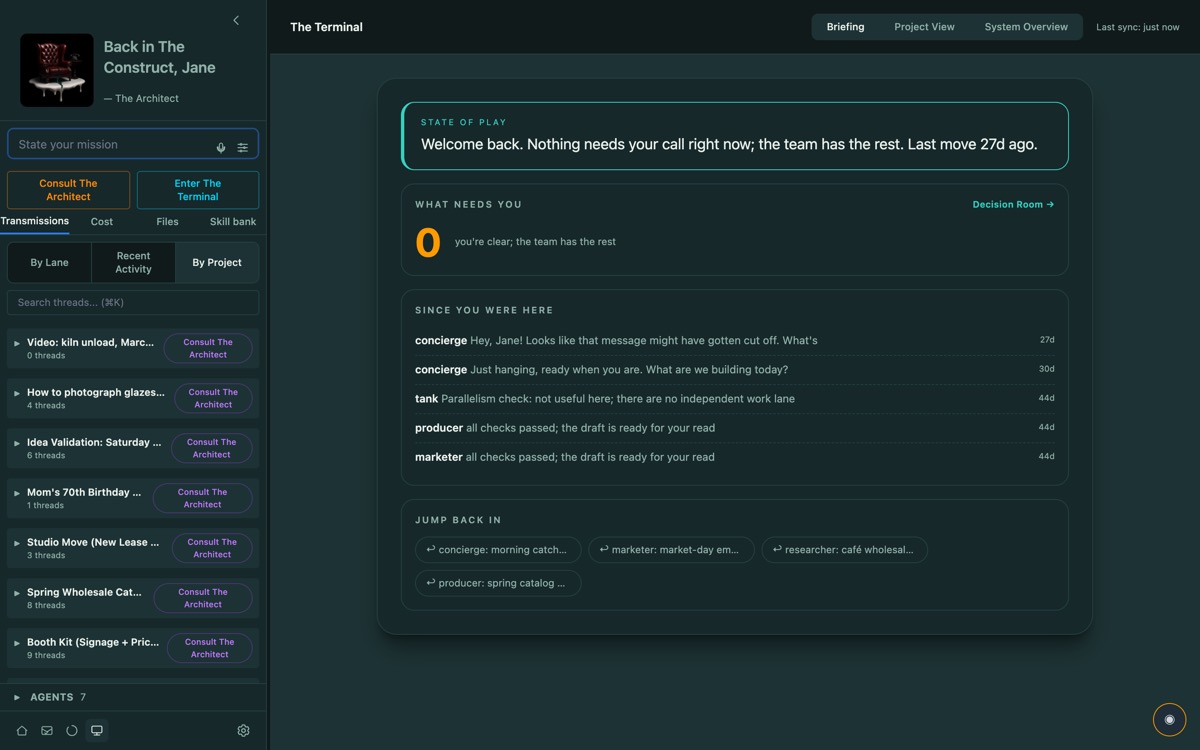
Three levels of detail, depending on how closely you want to look. The overview shows the work moving — gold glow on the lead node, green as tasks complete, lane-colored pulses on active work. Minimap, zoom, pan, lane filters. Click any node to see details and jump into the agent's conversation. Zoom out to Project View for a card grid across all your projects. Zoom out further to System View — your full agent fleet, provider health, and global stats. Mission control for everything you're running. Auto-refreshes every five seconds. The graph is alive.
They only interrupt you when it's your call
Real questions come to one place and wait for you. Everything that isn't a real question never reaches you at all.
Agents work autonomously until they can't. When one hits a blocker or reaches a checkpoint, a card appears in the Decision Room: what's needed, and why. You make the call, work resumes. No notification spam. No "here's what I'm going to do next" updates. Just the decisions that actually need a human. Step in, decide, step out.
Nobody forgets where you left off
Long jobs don't fall apart halfway. When one stretch of work ends, everything learned gets carried into the next one.
Every thread shows token usage in real time. You can see exactly how close you are to the edge — before the AI starts forgetting. When you're running hot, the Wrap and Transfer protocol packages your full session state — decisions made, work completed, open items, carry-forward context — and moves it losslessly into a new thread. No starting over. No "as I mentioned earlier." No lost momentum. This is the feature that saves projects other tools let die.
Ask your project anything
“What did we decide about pricing?” It remembers the whole project and answers, instead of you digging through old threads.
Your team remembers everything it has found, across every piece of work. Ask "what did the content team find about venue options?" and get a synthesized answer — not a link to a thread, an actual answer with context from across the entire project. For orchestrated projects, The Architect knows the plan, the task graph, and all agent findings. For manual projects, Morpheus provides cross-thread intelligence and pattern recognition. Every message gets fresh context — assembled in real time from your actual project data. A Context Inspector shows you exactly which threads were analyzed and how the token budget was allocated. Full transparency.
A second opinion, and a third
For the decisions that matter, several different AI models weigh in independently, argue it out, and come back with one answer and their reasoning.
For the calls you'd normally agonize over alone: convene the Council. Claude, GPT, and Gemini each draft an answer, then rank all the drafts blind — no model knows which draft is whose. The winning draft's author takes the chair and writes the verdict, while persona advisors (a red-team Adversary among them) critique from the side. Cross-vendor deliberation with anonymized ballots, a live roster, and a Stop button that actually stops it. Convene it from the Decision Room or straight from the Dojo. You can hand-pick the panel in Settings, or let it seat your strongest connected models automatically.
Everyone stays in their lane
Each person on the team has a job and sticks to it, so two of them never quietly undo each other's work.
SYSTEM, BUILD, CONTENT, DESIGN, OPS, and RESEARCH — staffed by a named crew you pick in setup (Operator, Tank, Link, Mouse, and Trinity among them). Every message lands in the right lane with the right project header.
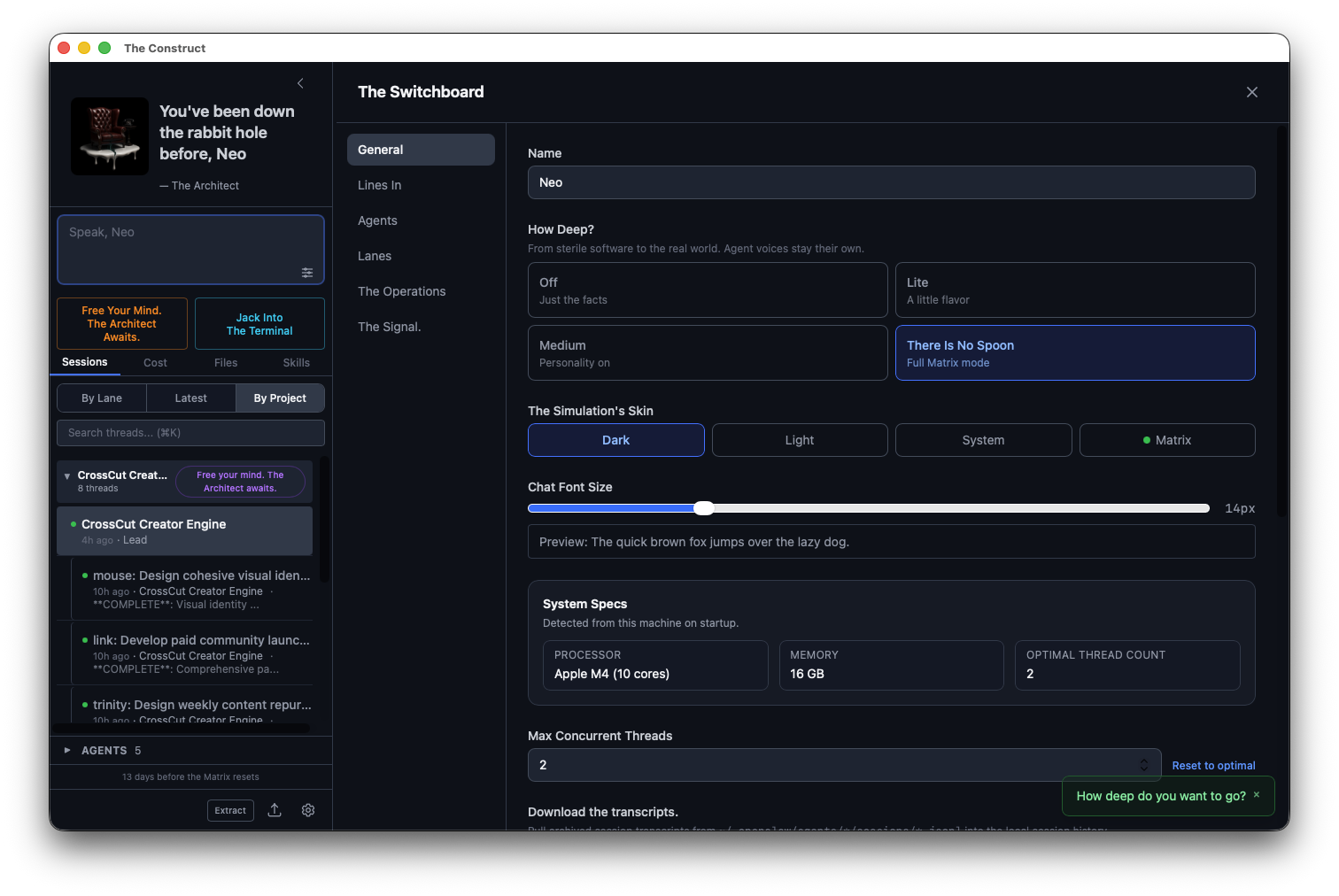
They talk how you like
Chatty or brief, warm or all business. Set the tone once and they keep it.
A four-level personality slider: Off (corporate clean), Lite (a little warmth), Medium (the sweet spot), and There Is No Spoon (full Matrix flavor). 880+ UI strings that change based on your setting: from status messages to agent dispatch preambles to toast notifications. It's a small thing. But it makes the app feel like yours, not like another generic SaaS dashboard.
Voice
Just say it.
One shortcut, from anywhere on your Mac, and you're talking to The Construct. The Dojo listens, answers out loud, and acts on it — pull up live scores, open a page, look something up — without touching the keyboard or leaving what you're doing.
It answers like a person who just knows, not a page of search results. And it stays on a short leash: it'll open things and look them up freely, but it never buys anything, signs in, or submits a form without your explicit yes.
Hands-free, anywhere
A global shortcut opens the mic without pulling you off the screen you're on.
It acts, not just answers
Ask it to show, open, or find something and it does it — then tells you what it found.
Private by default
Your speech is transcribed on-device. Your audio never leaves your Mac.
See it in action
A look inside
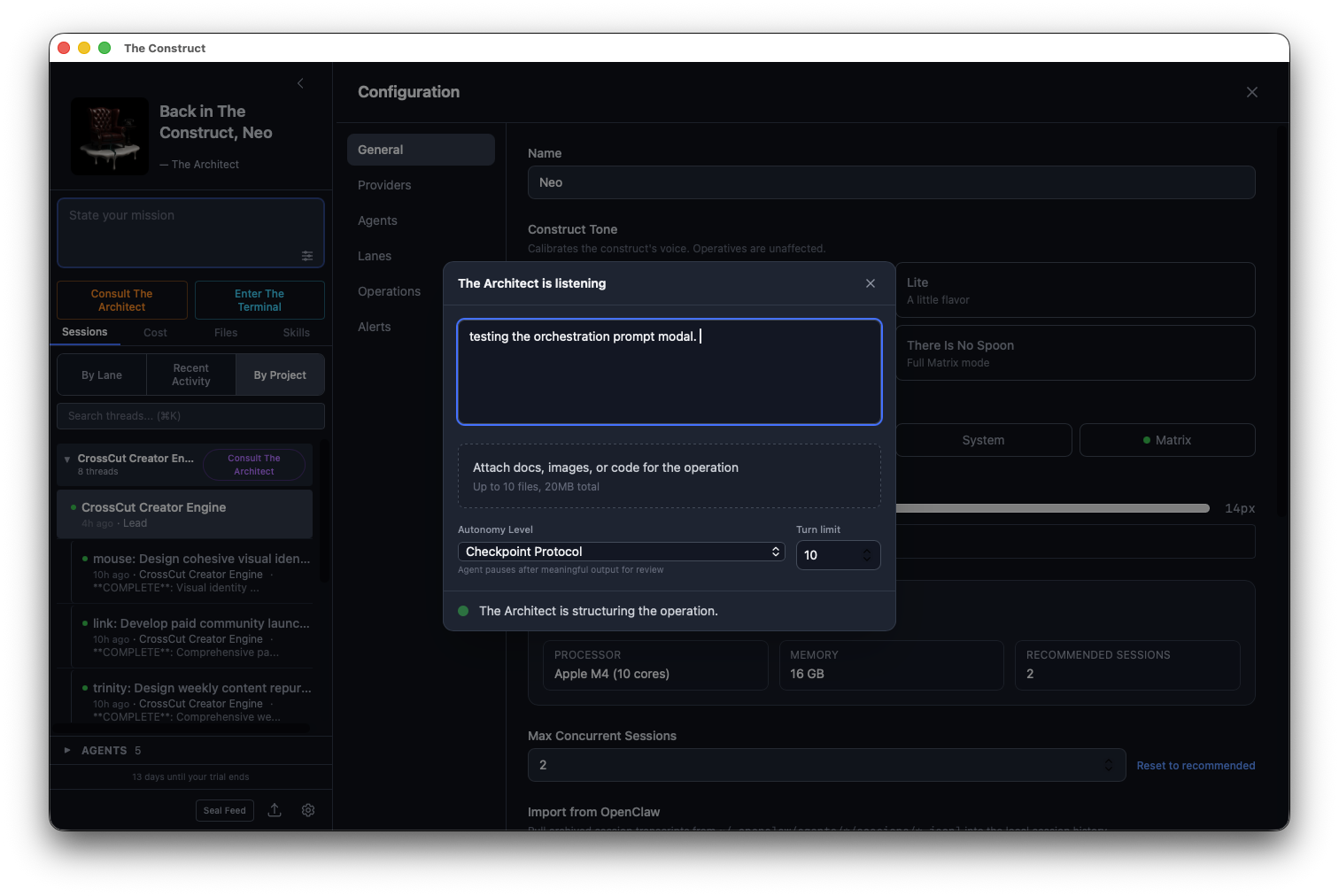
Orchestration
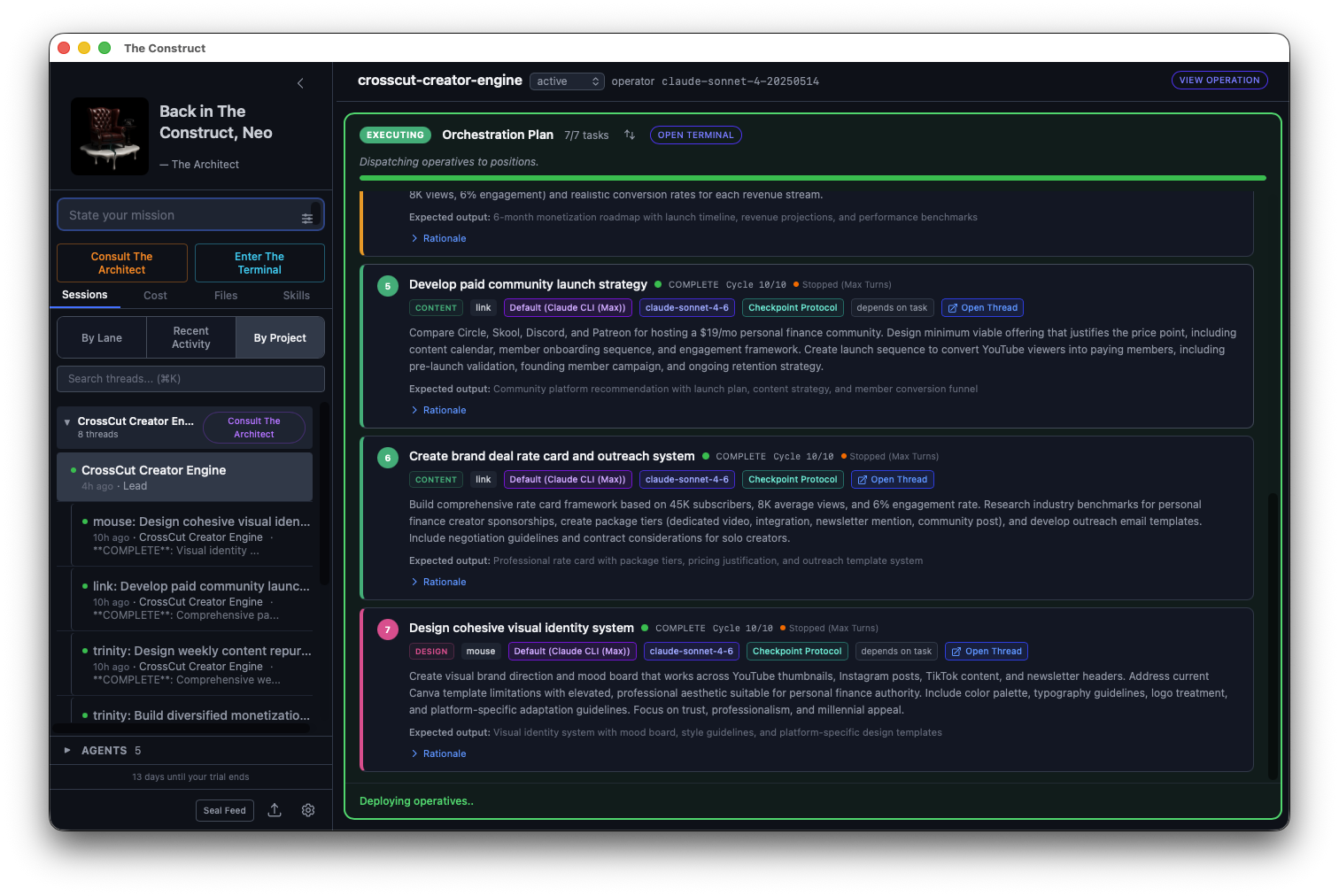
Hand the Architect a brief. It returns a plan for your approval, which is the default gate before anything runs.
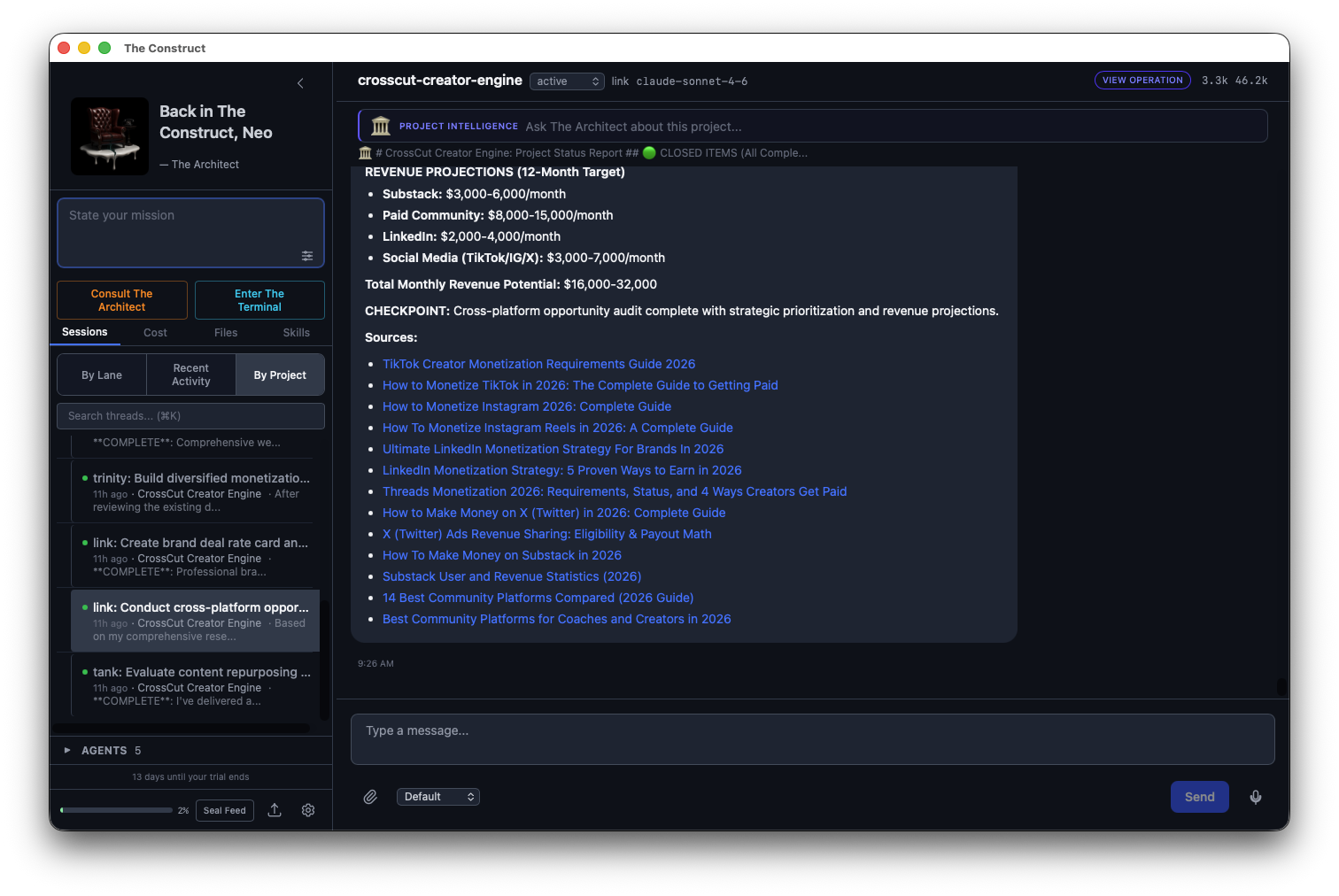
Real output
Agents return finished work, not just status updates.
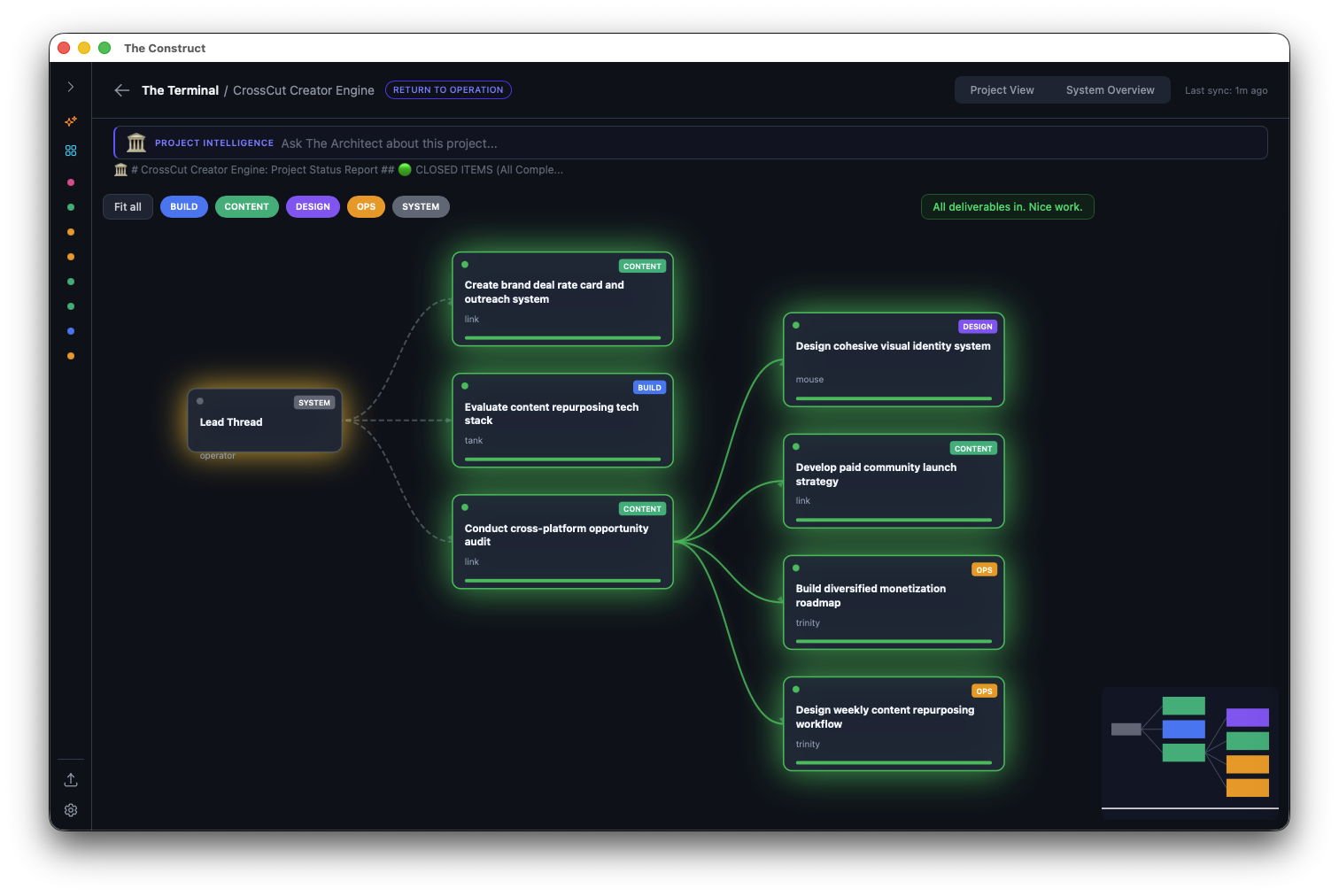
System View
Mission control for everything you're running.
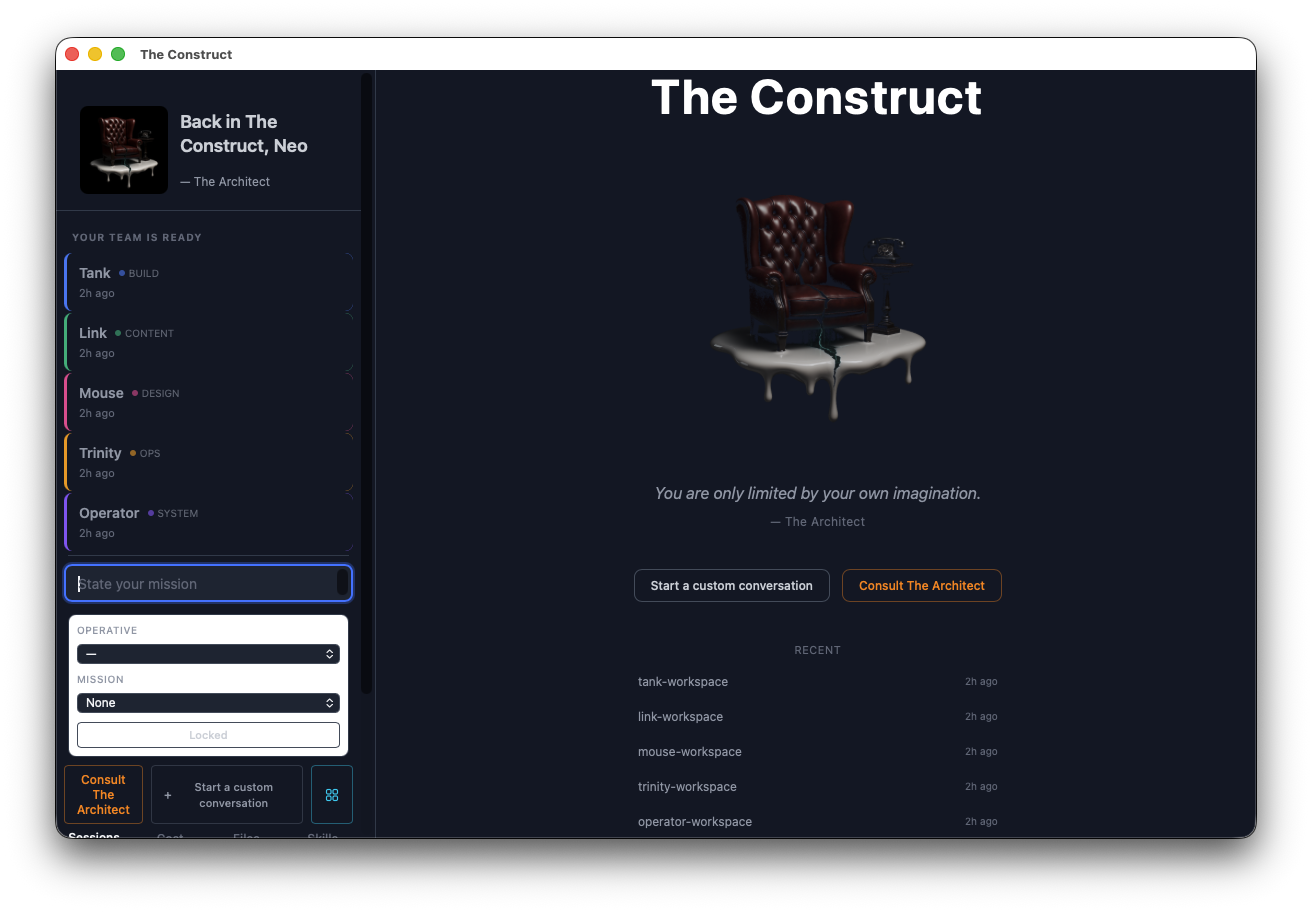
Your team
A named crew across six lanes — you pick your people in setup.
Welcome in
A native macOS app that opens straight to your fleet.
How it works
One sentence in. Finished work out.
Desi runs a custom balloonscape business in Portland. She wanted to expand into a new concept — a Balloon Bar where customers build their own arrangements online, choose from DIY to full-service tiers, and get everything shipped or ready for pickup.
That's not a one-line prompt. That's a real business brief — pricing strategy, competitive positioning, brand extension questions, website platform decisions, fulfillment workflows, inventory tracking, and a launch plan.
The Construct turned that brief into a plan: seven jobs, split across five people, in the order they had to happen. Research feeding into branding feeding into website design, with event planning and operations running in parallel.
Tank pulled double duty on pricing and website architecture. Trinity handled the business model and the 90-day launch playbook.
Link mapped the competitive landscape. Mouse built the visual merchandising system.
Desi watched the Terminal task graph light up as work moved through the pipeline.
Her reaction wasn't "cool tech." It was "wait — that's actually getting done?"
Within one session: synthesized venue research, brand direction, website structure, three-tier pricing model, and a launch timeline. Not finished. Structured. Ready for her to make decisions and push forward.
Learn it in an afternoon.
Nobody should need a manual to feel at home. There is a full visual walk-through of every room, and a seven-quest Playbook that teaches by doing: you finish it having actually shipped something.
Every room, click by click
A complete walk-through with real screenshots, written for people, not developers. Print it if you like paper.
Start the Adventure
Seven short quests, each one a real thing you build. By the last one, the app is yours.
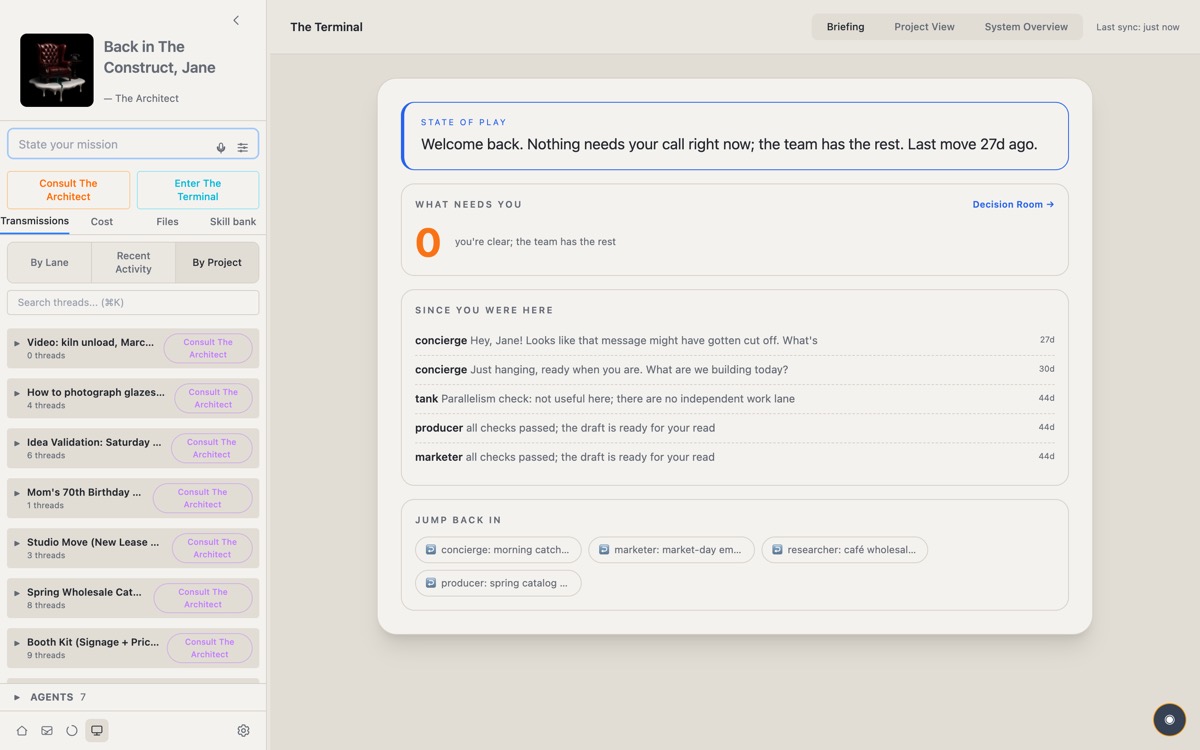
And it dresses for you.
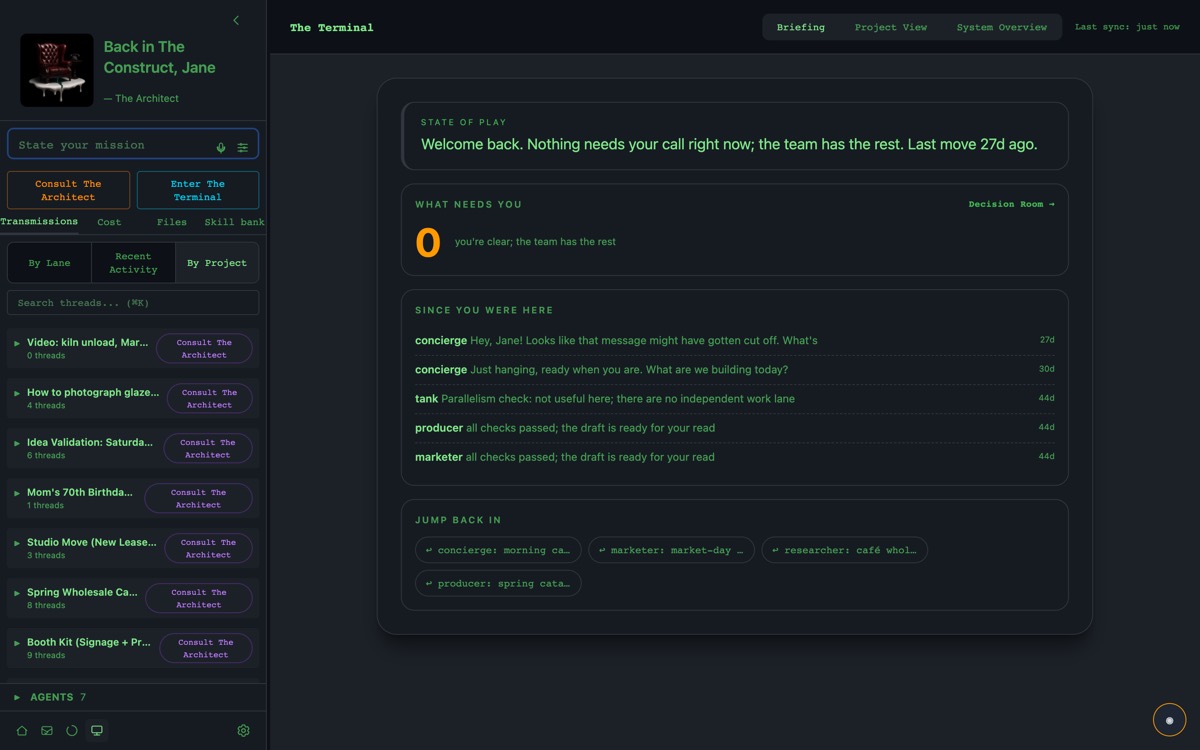
Six themes restyle every room. Same work, different mood.
Pricing
The beta is free. Beta testers lock in for life.
The beta is open through August 15: take a beta key and everything is free while the beta runs. When it closes, beta testers get first claim on the lifetime license — $99 once — before subscription plans open to everyone else at public launch. No card required during the beta. Your projects, threads and keys live in a local database on your Mac: nothing is deleted, export anytime.
Lifetime License
Same full access as Operator, locked in for good. One payment, and it stays yours.
One payment, fee-free access for the life of the product. No recurring charges. See the Lifetime License Terms.
Get the lifetime licenseOperator
Everything in The Construct.
or $180/year — planned for public launch
Join the beta- ✓ Unlimited agents and sessions
- ✓ All 6 lanes: SYSTEM, BUILD, CONTENT, DESIGN, OPS, RESEARCH
- ✓ Terminal: Task Graph, Project View, System View
- ✓ Orchestration with Architect plan generation
- ✓ The Decision Room
- ✓ The LLM Council — cross-vendor deliberation on hard calls
- ✓ Voice control — talk to it hands-free
- ✓ Project Intelligence (Architect + Morpheus)
- ✓ Context Meter + Wrap and Transfer
- ✓ Skill System
- ✓ Personality System (4 levels)
- • Mobile access + push notifications — on the roadmap, not in the beta (Mac desktop only for now)
- ✓ Works with any AI provider (OpenAI-compatible)
- ✓ Local data, AES-256 encryption
Nebuchadnezzar
For teams who want to share one setup.
- ✓ Everything in Operator
- ✓ Shared agent configurations
- ✓ Team visibility and admin controls
- ✓ Centralized billing
FAQ
Questions before you jump in.
No. The Construct works with the AI subscriptions you already pay for — Claude Max (via the Claude CLI), ChatGPT/Codex, Gemini CLI, and GitHub Copilot — with no API keys and no new AI bill. It also takes direct API keys (OpenAI, Anthropic), which bill you per token as usual, plus Ollama, LM Studio, or any OpenAI-compatible endpoint. You bring whatever AI you already use. The Construct itself is licensed separately.
The Construct is in private beta. Request access on this page and we'll send an invite as we onboard in waves. Beta testers get first claim on the lifetime license before public launch. Whatever you create is yours: nothing is deleted, and you can export anytime.
No. The Construct is a native desktop app: your projects, threads, and keys live in a local database on your Mac, and API keys are encrypted with AES-256. Your prompts and anything you share with an agent go only to the AI provider you connect — or nowhere at all if you run a local model through Ollama or LM Studio. The app also checks this site for updates. Full details in the Privacy Policy.
During the beta there's nothing to cancel: access is free by invite code, with no card on file. The lifetime license is a one-time purchase, not a subscription. When paid plans open at public launch, they'll be no-contract and cancel-anytime.
Most AI dashboards monitor what already happened — they show logs, token usage, conversation history. The Construct orchestrates what happens next. It generates plans, dispatches agents to parallel threads, manages dependencies, surfaces decisions, and provides project-level intelligence across all your work. It's a control layer, not a viewing layer.
Reach out. We're happy to work something out for students and active open-source contributors.
Join the build.
Your AI is waiting for a manager.
You've got the models. You've got the ideas. You just need the orchestration layer that turns them into parallel execution with full visibility and control. We're in private beta, onboarding in waves — drop your email and we'll send your invite.
No spam. Just launch updates, early access, and the occasional field note from the build. We only use your email for these updates — see the Privacy Policy.